
Find Live Study Partner
Finding a live study partner online means stepping into an active virtual study hall where peers are already working giving you mutual accountability and focus companionship without the pressure of scheduling private calls or coordinating calendars.
Key takeaways
- Instant peer presence: join an open room anytime without scheduling private appointments
- Four versatile room styles: Deep Work, Pomodoro 25/5, Silent Library, and Night Owls
- Shared accountability: state your study goal in room chat and get to work
- Camera is completely optional; free browser access with zero software downloads
How It Works
How It Works
Find a Study Partner Online: How StudyLivo Works
When students search for a study partner, they often think of scheduling a call with a classmate. In reality, private one-on-one calls can drift into chat or create guilt when someone runs late. StudyLivo takes a different approach through open, on-demand group study spaces.
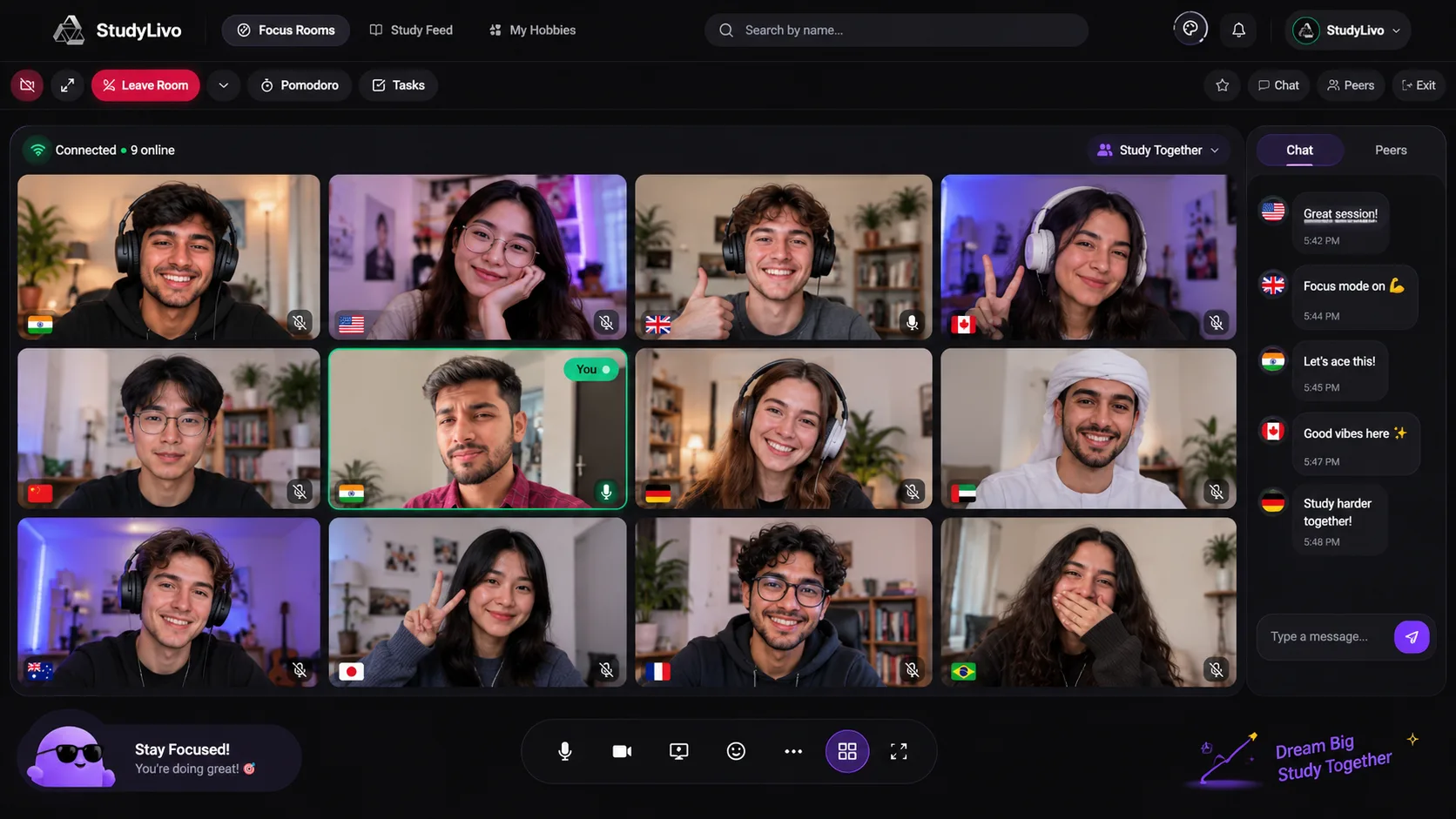
On StudyLivo, your study partner is the community already in the room. Whenever you want to study, choose a room format that fits your task, then sit down at a virtual table beside others who are already focused. You do not need to introduce yourself, plan breaks, or make small talk. You simply share the quiet focus of the room and build a steady daily routine.
Beat Isolation
Beat Isolation
Why virtual study partners beat studying in total isolation
Studying alone in a quiet room can make it hard to get started. Without anyone else around, it is easy to put off work and get distracted by your phone. People often focus better when others are working nearby.
When you look at your screen and see other students reading, taking notes, or writing code, staying on task feels normal. Knowing that others are present provides a gentle anchor that helps you stay in your seat and stick with your work.
Four Room Styles
Four Room Styles
Pick the Right Study Room for Your Study Partners
StudyLivo offers four distinct room styles so you can study alongside peers on a schedule that matches your goals:
- Deep Work Sanctuary: Best for long-form study, thesis chapters, or coding sessions with quiet, self-directed pacing.
- 25/5 Pomodoro Sprint: Best when you want shared intervals. Timed 25-minute study sprints and 5-minute breaks keep everyone in sync.
- Silent Library Focus: Offers a quiet reading room environment with software-muted audio for distraction-free reading.
- Night Owls Collective: Connect with late-night students and people across time zones who study late into the night or early morning.
Accountability
Accountability
Establishing silent accountability in a live study room
You do not need to talk out loud to stay accountable. Silent accountability can work well for deep work. Here is how members stay on track:
- Public intention setting: When entering a room, type a quick goal into the chat (for example: '15 biology practice questions' or 'Drafting chapter 2'). Sharing your goal helps you start.
- Goal updates: When you complete a block, share a quick update in chat. Checking off what you planned gives you a small boost that reinforces your habit.
- Visual presence cues: Pointing your camera toward your desk, notebook, or keyboard shows active focus while keeping your room and home environment private.
15-Min Kickstart
15-Min Kickstart
Overcoming low-motivation slumps with a 15-minute kickstart
On days when you feel tired or unmotivated, sitting down for a long study block feels overwhelming. Instead, use live peer presence to build quick momentum:
- Lower the bar: Commit to sitting in a room for just fifteen minutes. You do not need to finish everything; you only need to show up.
- Enter an active room: Open StudyLivo, join 25/5 Pomodoro Sprint or Deep Work Sanctuary, and see other members already working.
- Take one small action: Open your textbook or open your editor. Write one sentence or work through one simple problem.
- Build momentum: Once you get through the first fifteen minutes, the hardest part is over. Often, seeing others quietly working makes it easy to keep going.
Join Today
Join Today
How to join a room and find live study peers today
Getting started on StudyLivo is straightforward, free, and runs directly in your web browser with no downloads:
- Browse the online study rooms directory to see open rooms and live formats.
- Pick the room format that matches your focus style and study duration.
- Sign in to track your focus minutes, study streaks, and habit board.
- Enter the room, post your study goal in chat if you want, and start working.
You don’t have to study alone
Bring someone along for the work
Join a live room and study beside other people. It is much easier to start when you can see others already working.
Frequently asked questions
Do I need to arrange a session with an existing friend first?
No. You never need to coordinate with a friend beforehand. StudyLivo rooms are open public study halls where real students and remote workers are already focusing around the clock.
Can I bring a classmate or friend into the same room?
Yes. You can simply share the link to any StudyLivo room with your friend. Both of you can enter the same room, see each other's presence, and study alongside the wider community.
Will I be forced to speak or introduce myself upon entering?
Not at all. StudyLivo rooms are designed for quiet, focused work. There are no mandatory voice introductions, and microphones remain muted during study blocks to maintain calm concentration.
What if I prefer studying with my camera turned off?
Camera participation is completely voluntary. You are welcome to study with your camera turned off, or position it toward your notebook or study desk depending on your personal comfort.